
Food Friend
Reimagining the Dining Experience for Users with Dietary Restrictions

Project Overview
about: While there are many food-finding apps on the market, this app was intentionally designed to go beyond the standard offerings—particularly for individuals with dietary restrictions. What sets it apart is its focus on personalized, inclusive dining options. Rather than just showing what’s available, the app tailors results to meet the unique needs of the user, creating a personalized and frictionless experience.
Team: solo project under the mentorship of Angelo Presti
Tools Used: research tools: Miro, Excel, Figma, Adobe Suite
Project Name: Food Friend
Duration: Aug 2023 - Dec 2023
Role: UX Design, UX Research, Branding, Product Design
The Design Brief
Problem
Many people with allergies or dietary restrictions face challenges in having safe and enjoyable dining experiences.
Project Goal
This project aims to redefine dining out by creating a solution that allows people with food allergies or dietary restrictions to have better control over their dining choices.
Solution
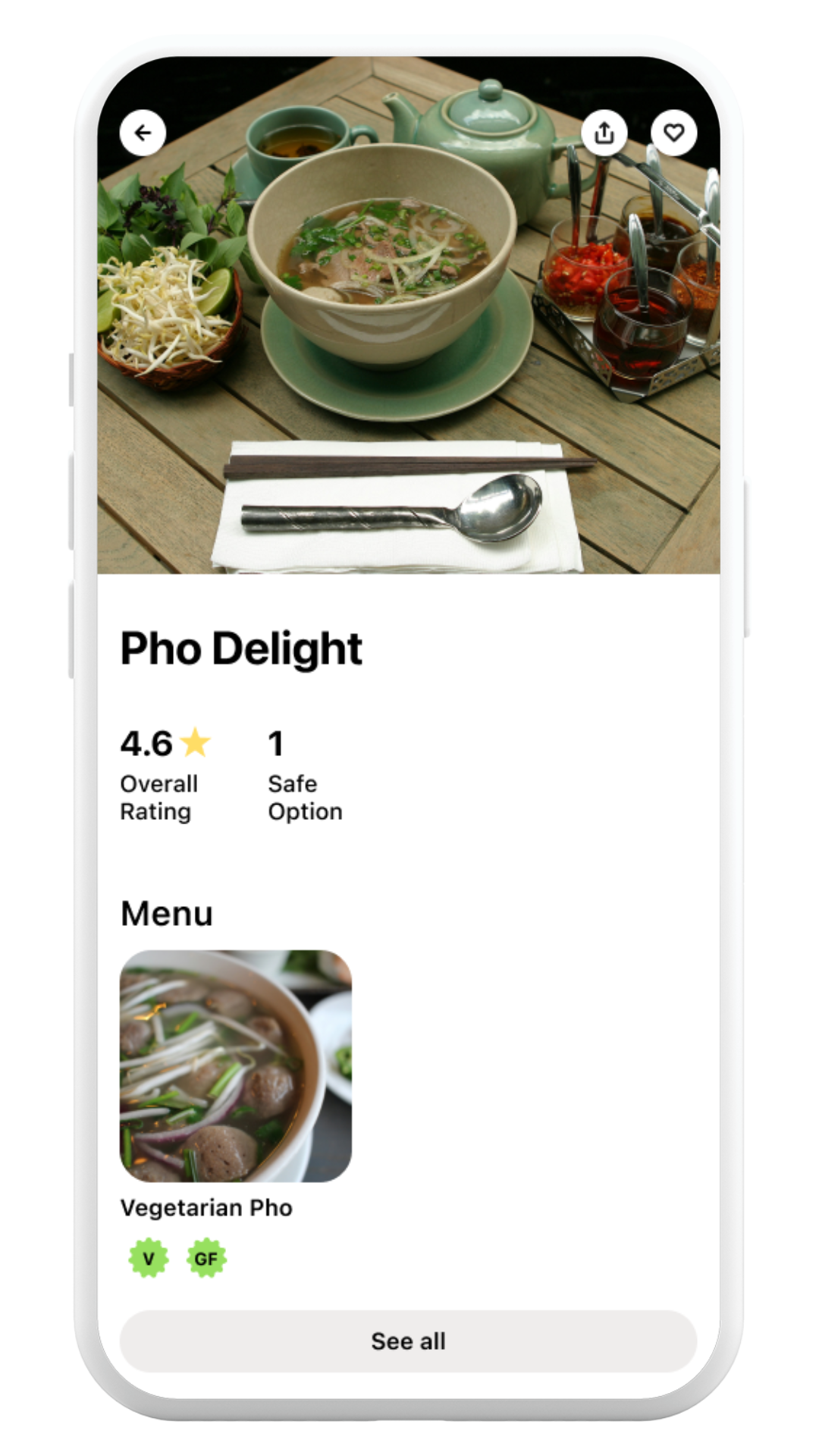
The proposed solution is a mobile app that enables users to create personalized allergy profiles, find suitable dining options, connect with others to form group profiles, and view detailed restaurant menus and reviews. This platform is intended to provide a more inclusive and accessible dining experience for users with specific dietary needs.
Research
In-depth user interviews were conducted to uncover the key pain points experienced by individuals with dietary restrictions. The target users included those with dietary preferences, allergies, or medical-related food restrictions.
Here are some of the personas deriving from the interviews:
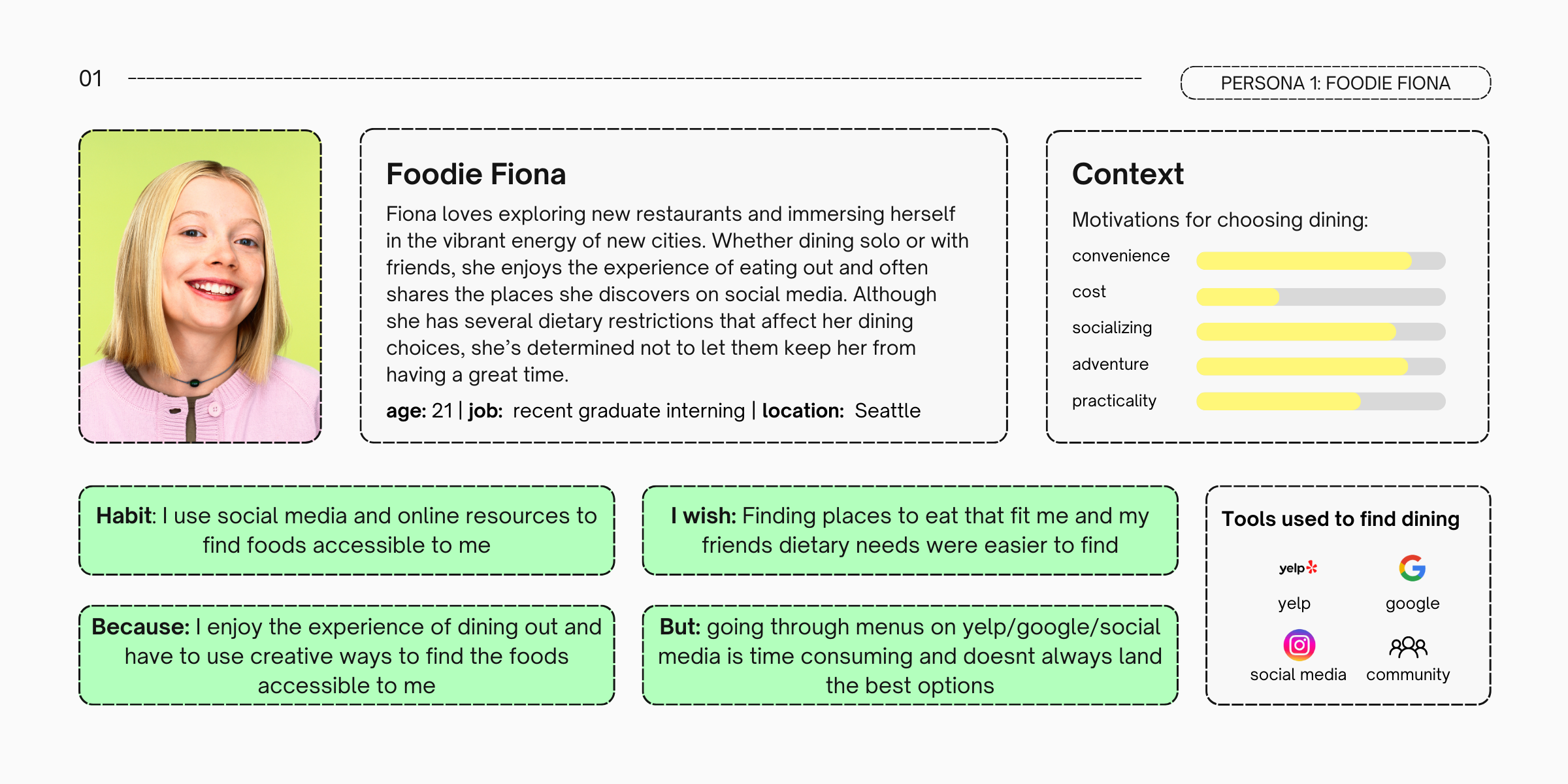

After analyzing and synthesizing the in-depth interviews, key insights were drawn:
1
Dining out with dietary restrictions is particularly challenging in unfamiliar areas
2
Dining out becomes most stressful when more people are involved
3
Information online regarding a restaurant is not helpful unless it is relatable to the users dietary specifics
Ideation
Solution Brainstorming: During the ideation phase, I explored a broad range of potential solutions, considering various approaches to address the problem statements and insights gathered from user interviews.
Here are some the ideas:
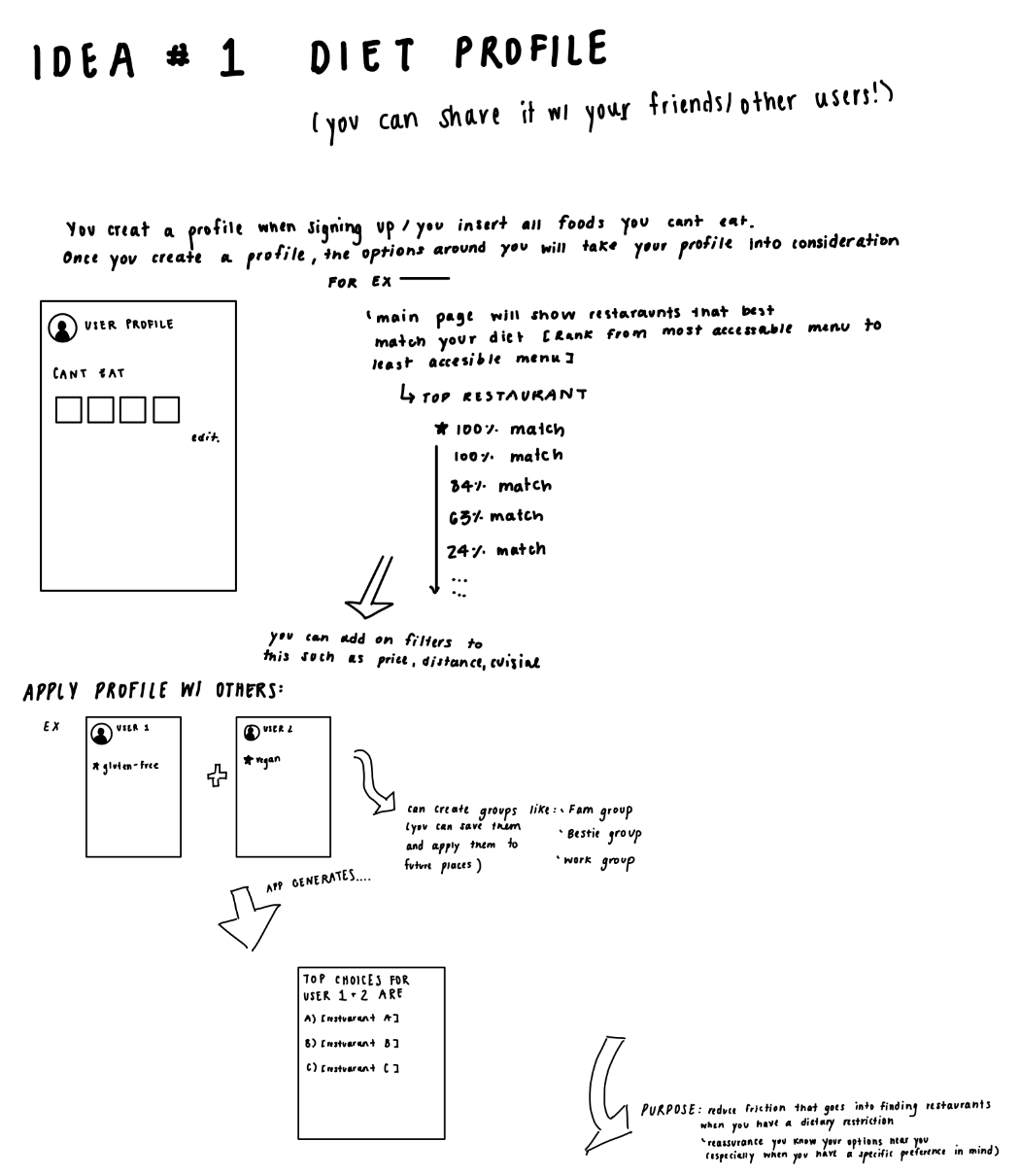
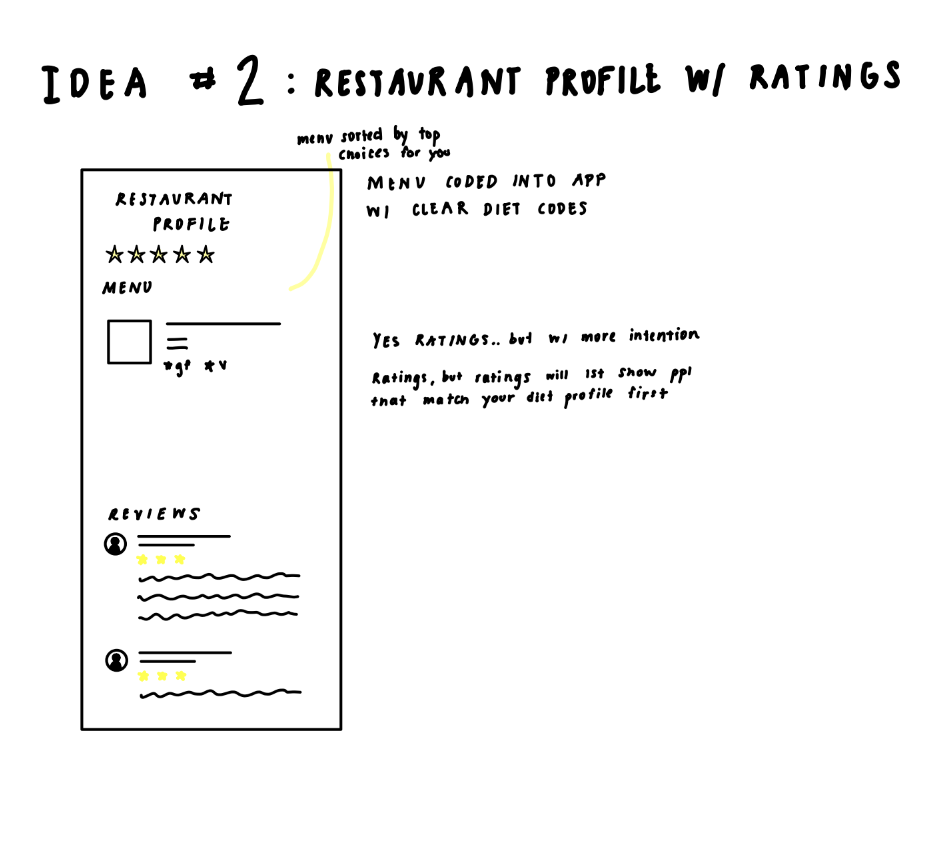
Information Architecture: I identified the most effective solutions and, informed by a competitive analysis of Google Maps, Yelp, and TripAdvisor, created user flows and sitemaps.
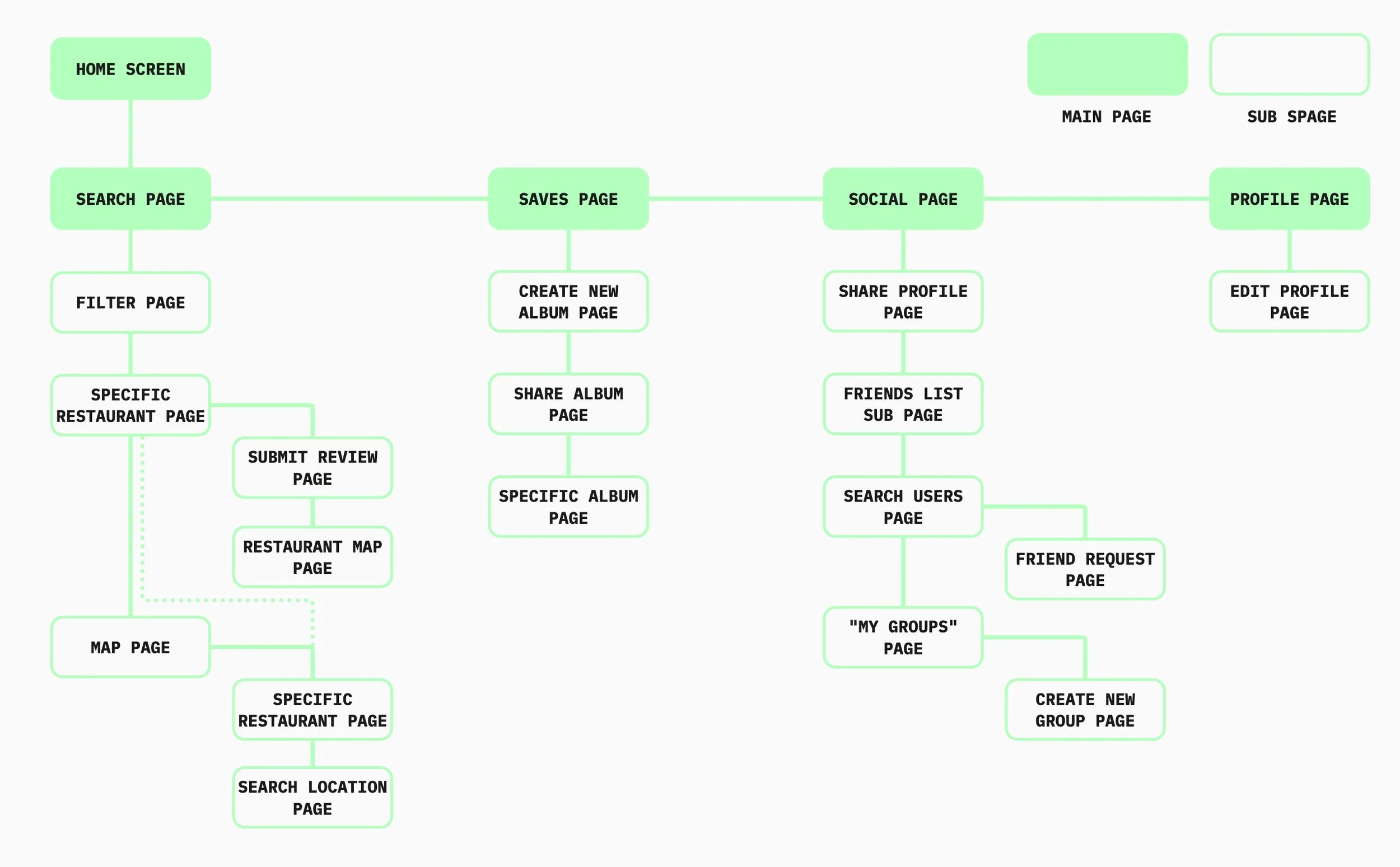
This information architecture map outlined the application's structure by organizing its main functionalities, separating the search features from the community elements.
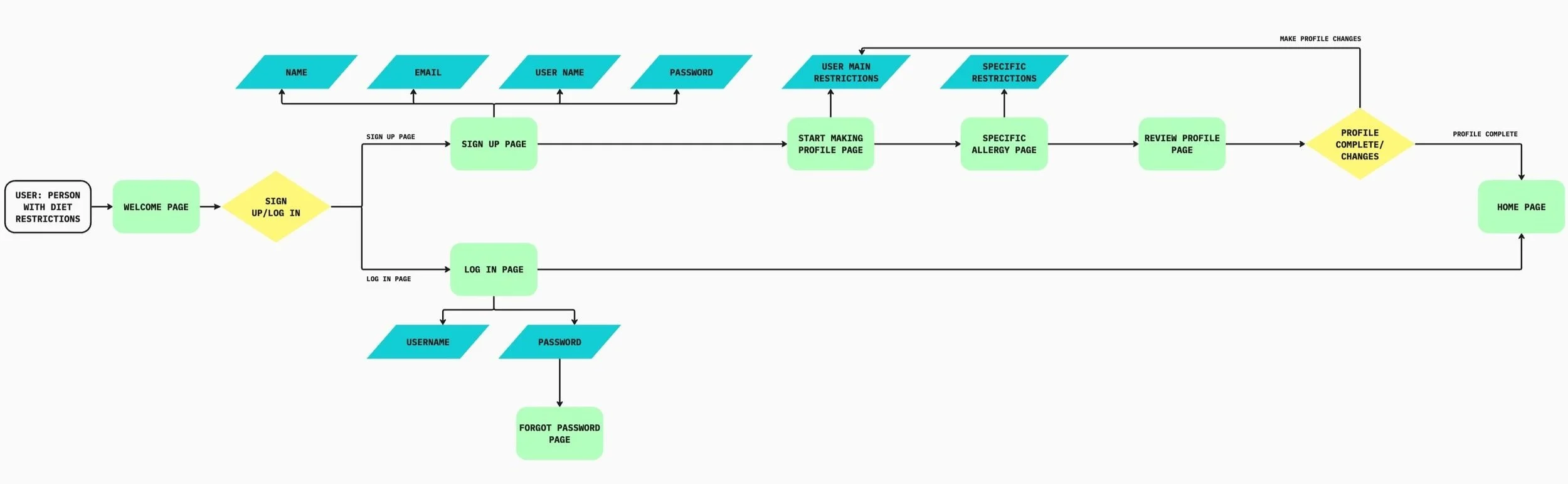
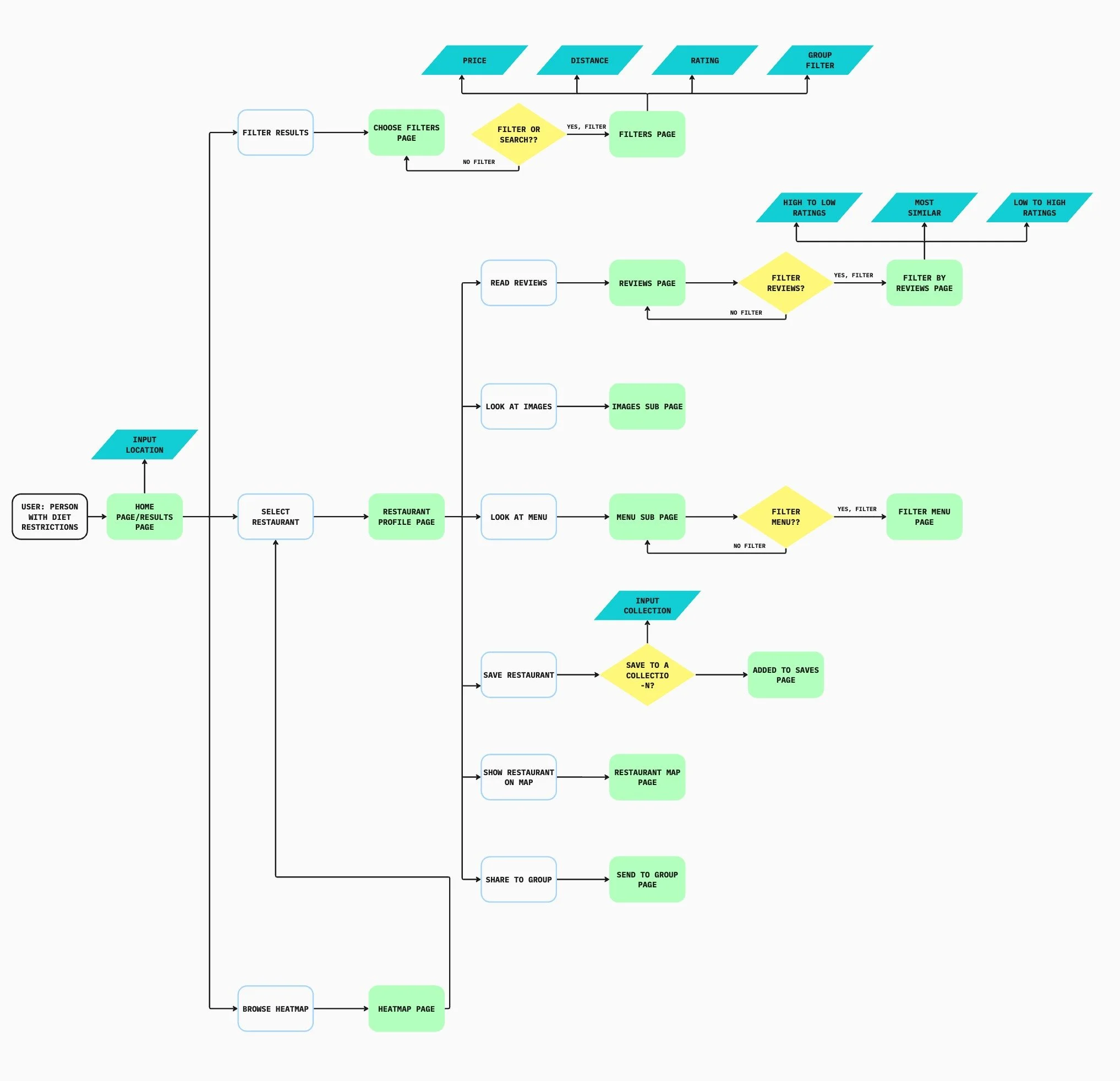
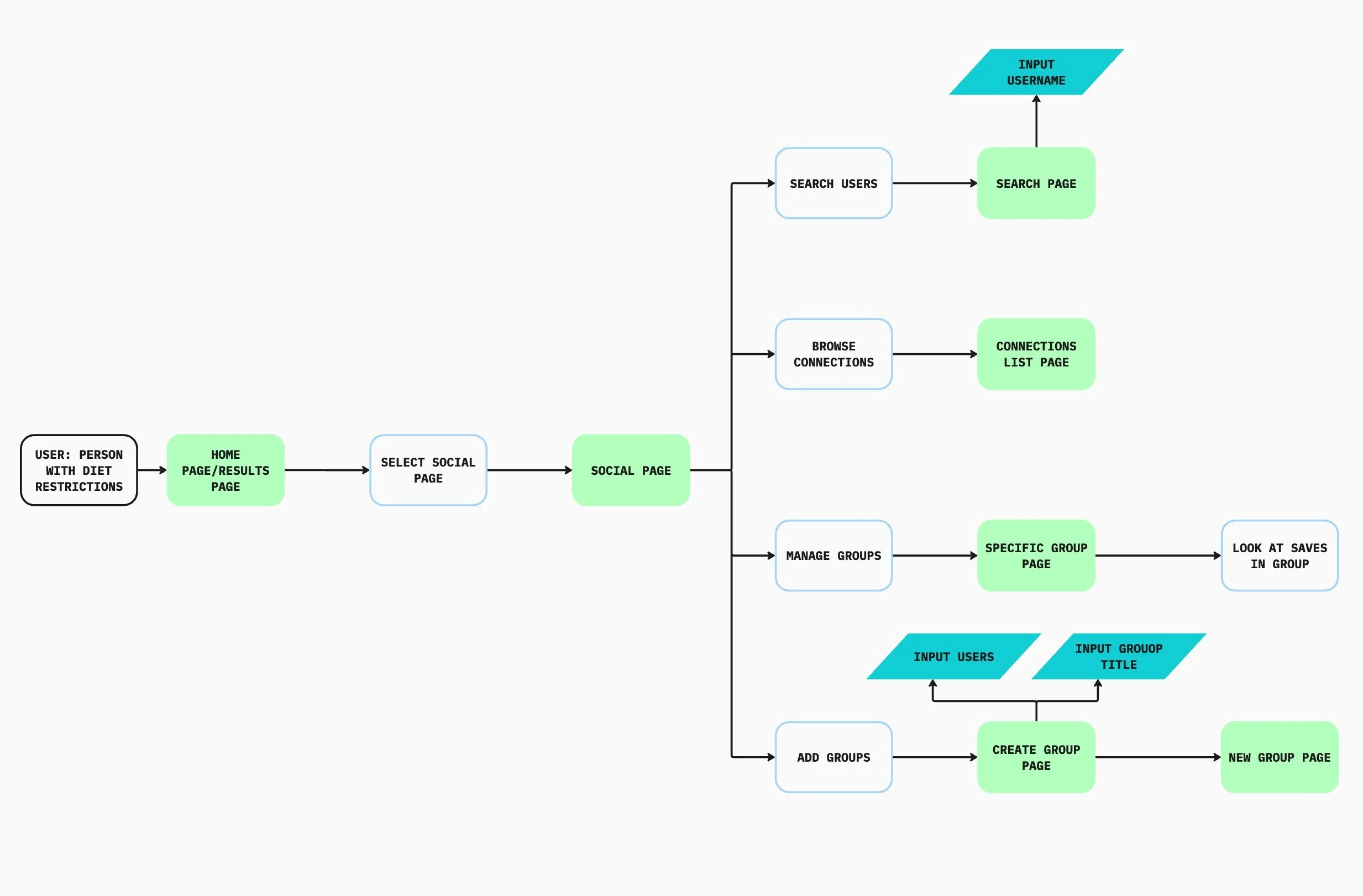
User personas guided the identification of key red routes, informing a user flow that balanced the needs of both basic users and those engaging with the app’s social features.
Create and interact with groups flow:
Onboarding: creating an allergy profile flow
Restaurant search and save user flow: (the essential red route)
Sketches and Wireframes: From there the most ideal solutions were selected
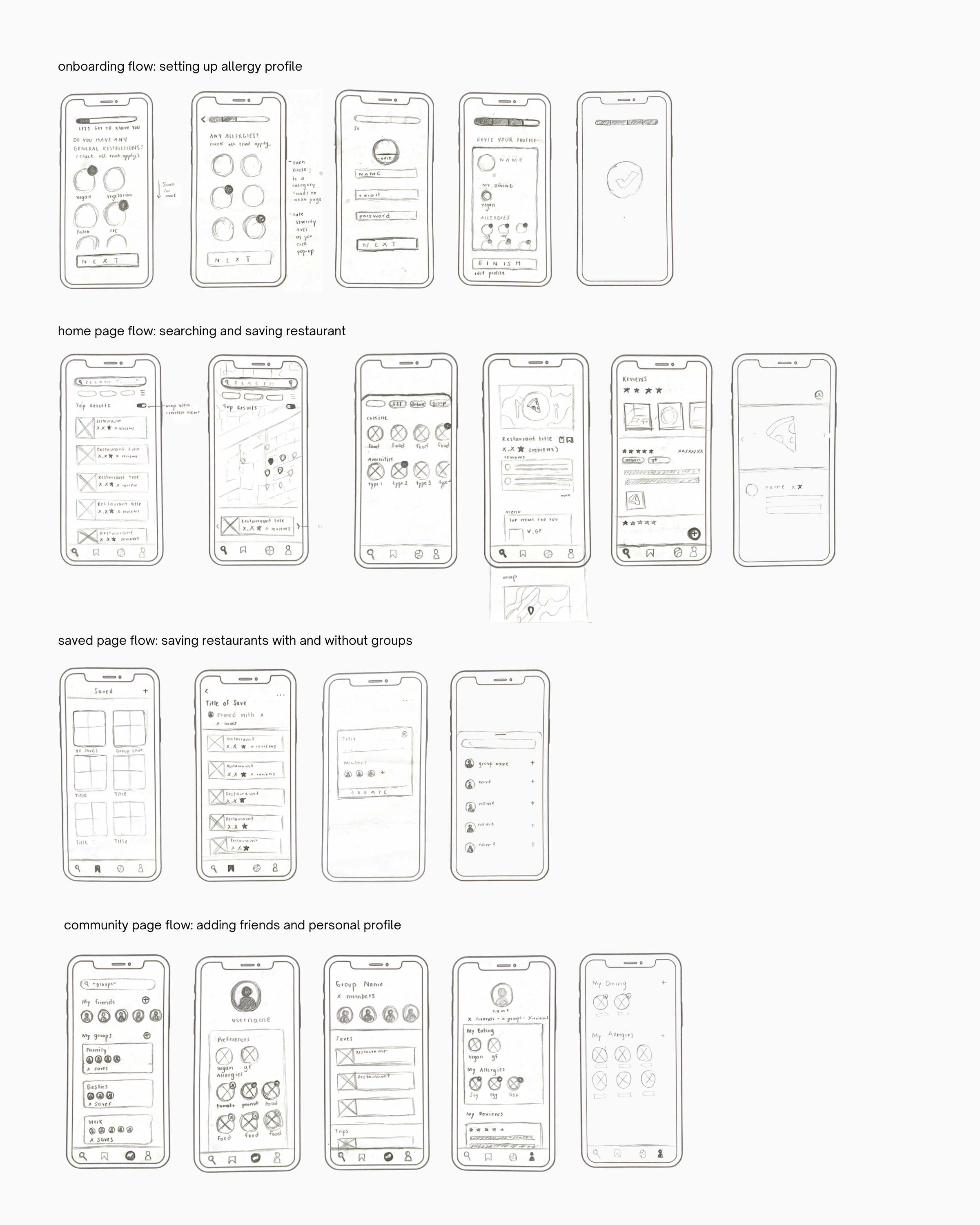
The sketches allowed me to visualize and solidify my ideas, turning them into a more structured prototype. As the design evolved, the sketches guided the development of a cohesive user flow, while accommodating changes in the layout and structure of the pages. This process ensured that the final design addressed the specific needs and objectives of the project.
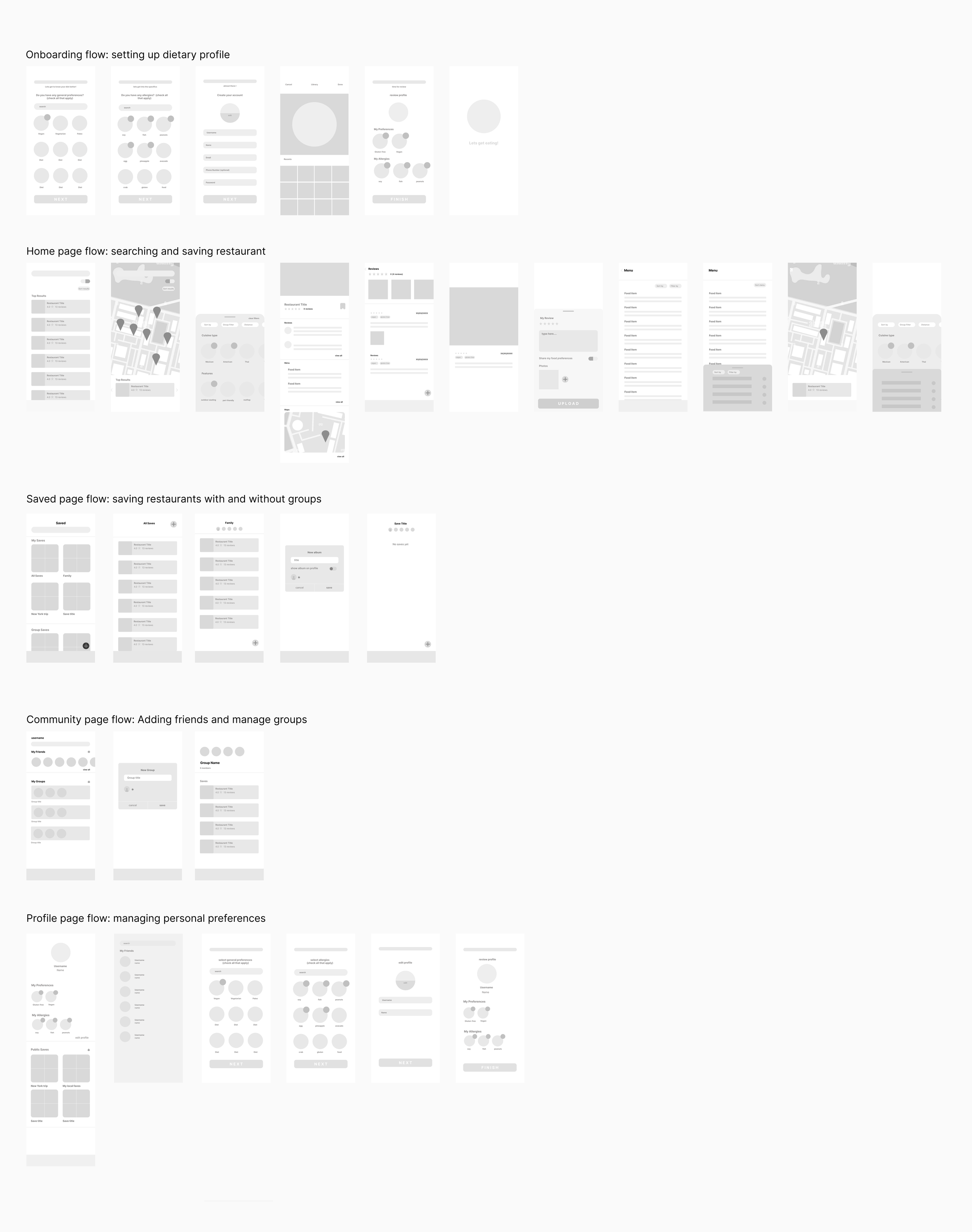
The sketches and wireframes were tested, informing some design changes of the final iterations. For example, the heat maps and messaging features were iterated out of the final design as they were not a priority to users.
Design
Style Guide:
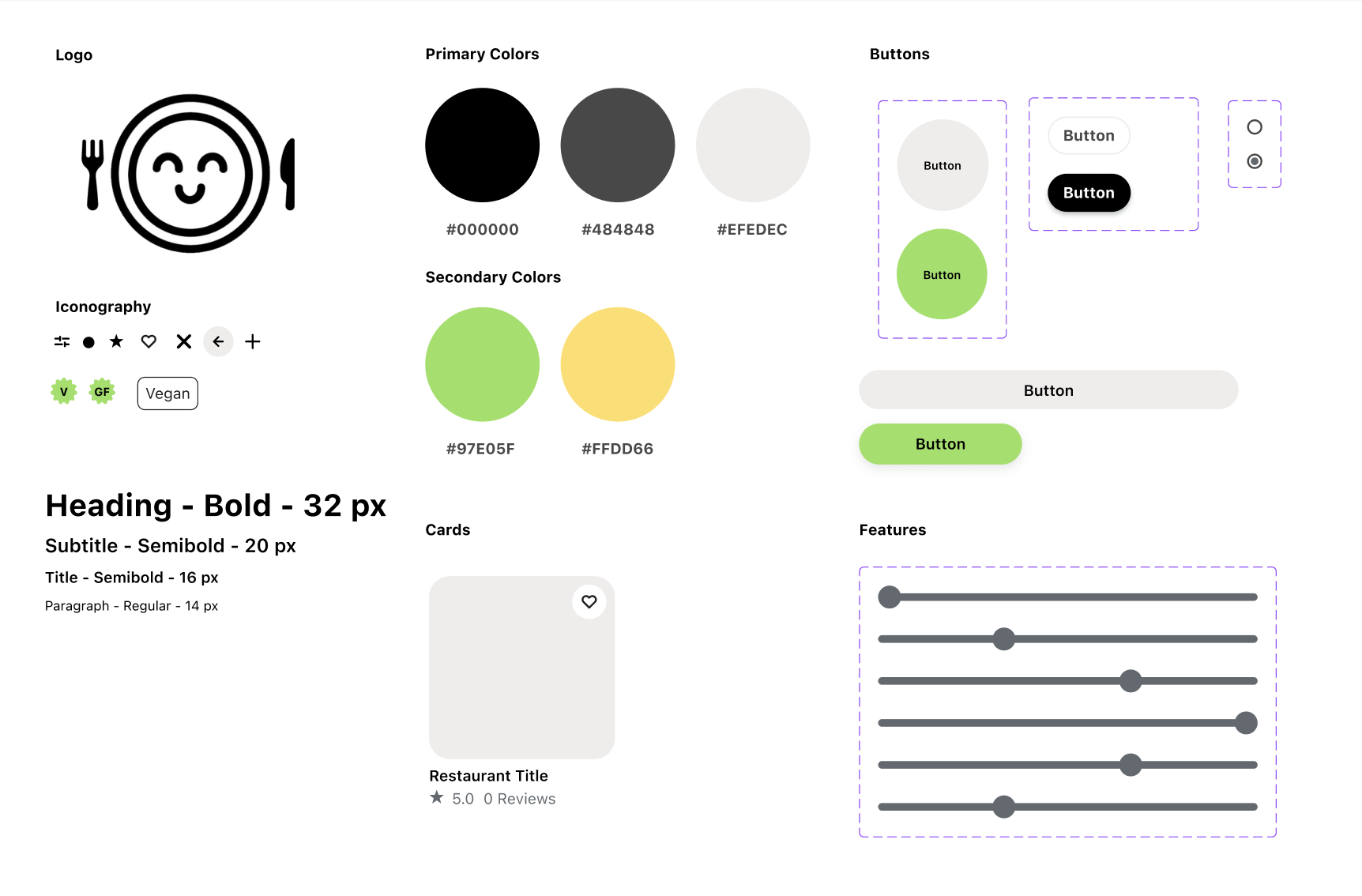
In designing the branding and user interface, I prioritized functionality to enhance user experience. Given the app's multiple features, I aimed for a clean and minimal design by developing high-fidelity screens with a monochrome primary color palette and subtle brand color accents. The essential imagery integral to the app's functionality already provided sufficient visual interest; adding more branding elements risked overwhelming the user.
Brand Development:
The brand was designed to inspire excitement around food and dining. The name "Food Friend" was chosen to promote positive perceptions regarding dining out as research highlighted those with dietary restrictions often have a negative perception towards dining out.
The logo, a smiling face on a plate, was intentionally chosen to evoke feelings of safety and positivity in users. The logo was concepted through sketches and finalized in Adobe Illustrator.
The brand accent colors of green and yellow were selected to represent happiness and safety, reinforcing the app's goal of offering a reassuring and enjoyable dining experience.
Protyping
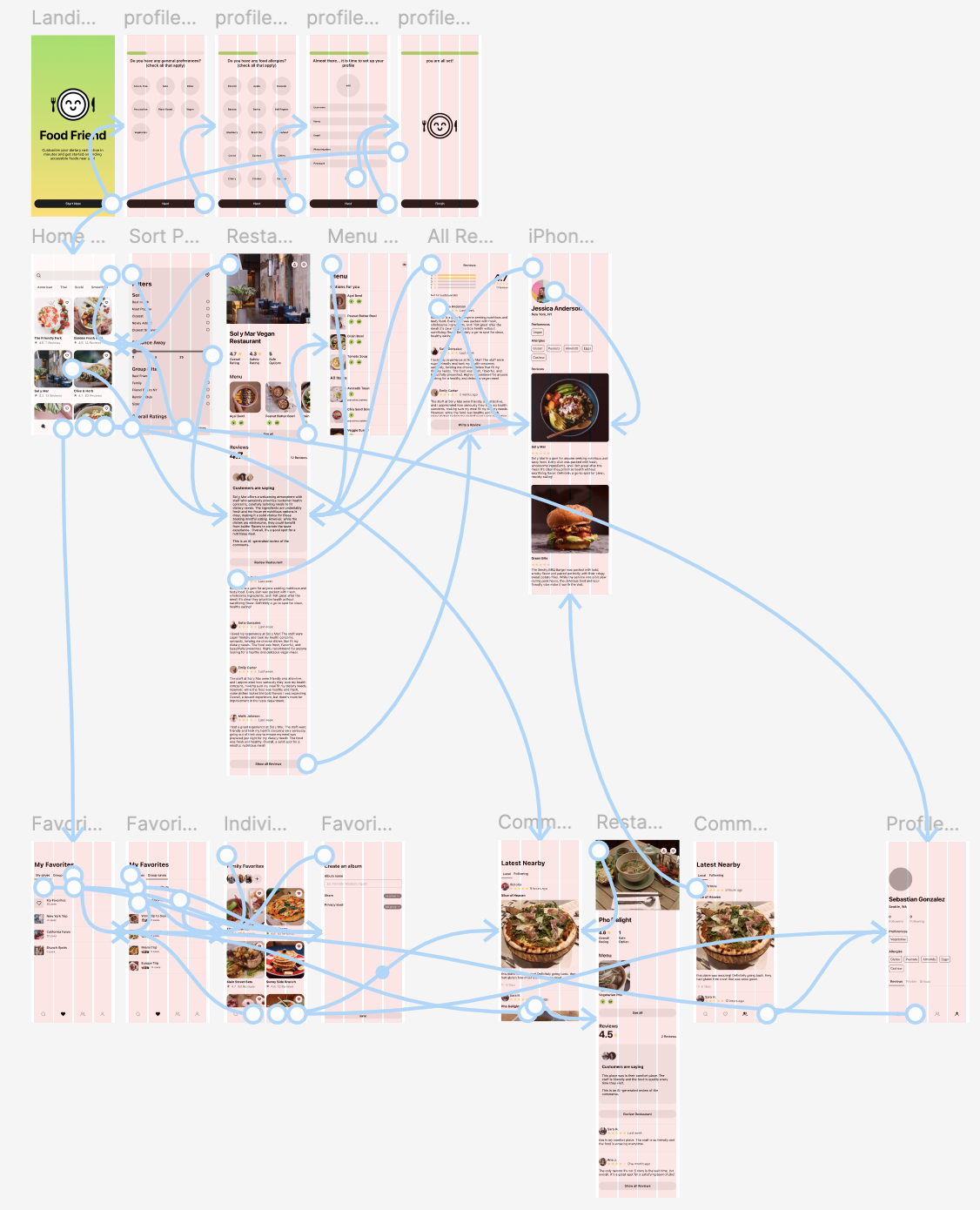
In the initial prototype, several red routes outlined in the sitemaps, sketches, and wireframes evolved through product iterations. This project taught me the importance of prioritizing functionalities and refining ideas early in the process.
Testing
Interview Style:
1:1 in-person interviews on 5 participants
Insights:
Certain CTA’s were not clear to users as they clicked on certain features expecting a response when there wasn’t one
Certain screens have inconsistencies in the UI as there were color differences.
The intention of the application was not clear from the onboarding process and users were slightly confused when onboarding
Opportunities:
Create more consistency in the UI color
Use more concise wording in the onboarding screens as users set up their allergy profile
Present more information about “Food Friend“ during the onboarding process
Allow more CTA and responsive buttons on the restaurant page
Iterations:
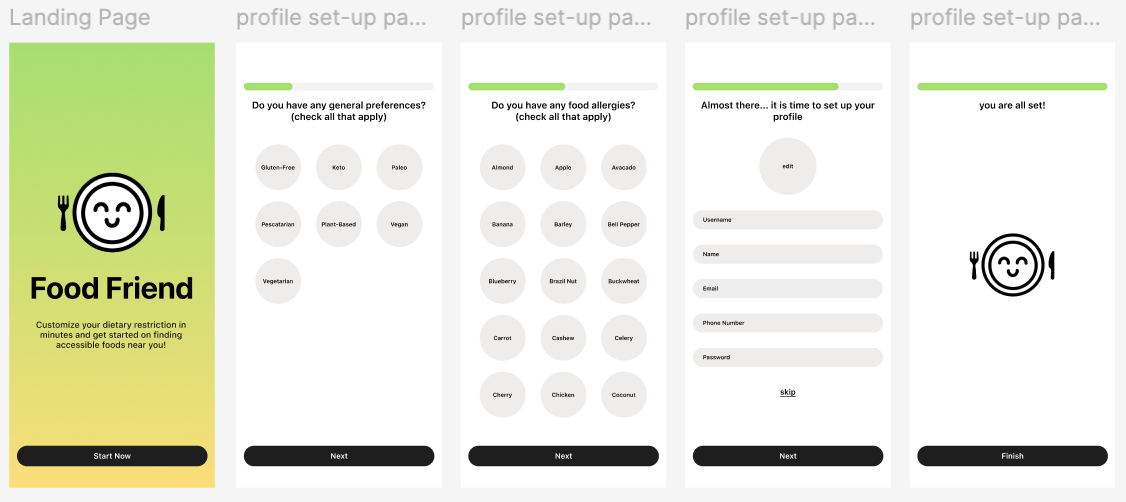
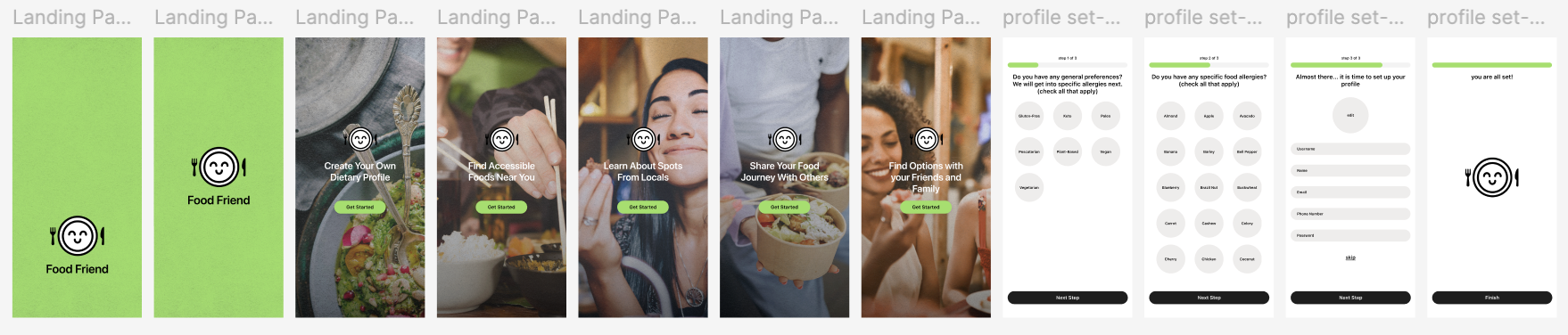
After testing, I updated the onboarding flow by adding informative screens to clarify the app's purpose as initial feedback showed users were unaware of all features. Clearer context and more concise wording in the allergy profile setup greatly improved users' understanding, with the second testing round confirming the effectiveness of these changes. Other minor updates were also made after receiving the results from the first round of testing.
High Fidelity Wireframes
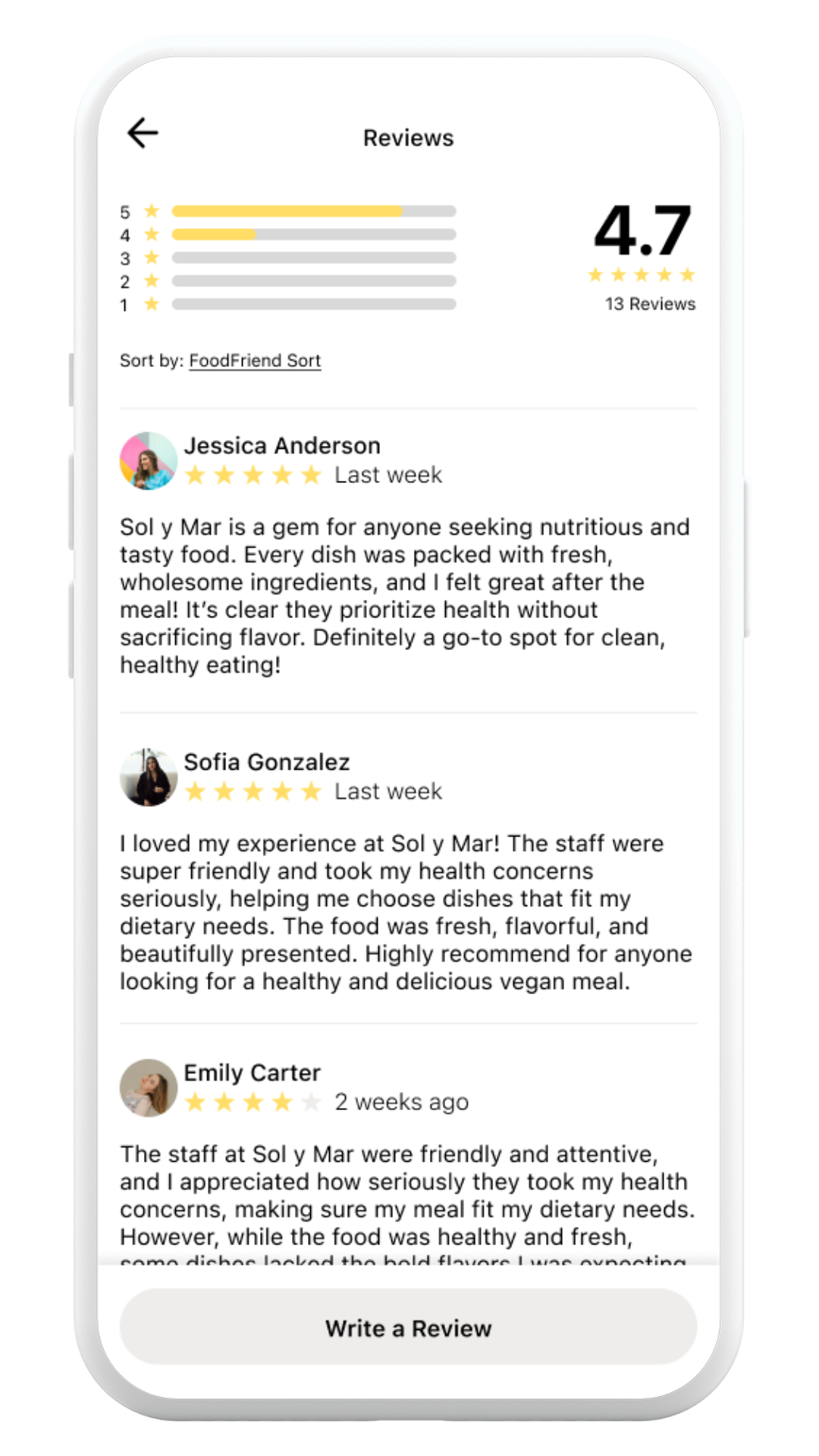
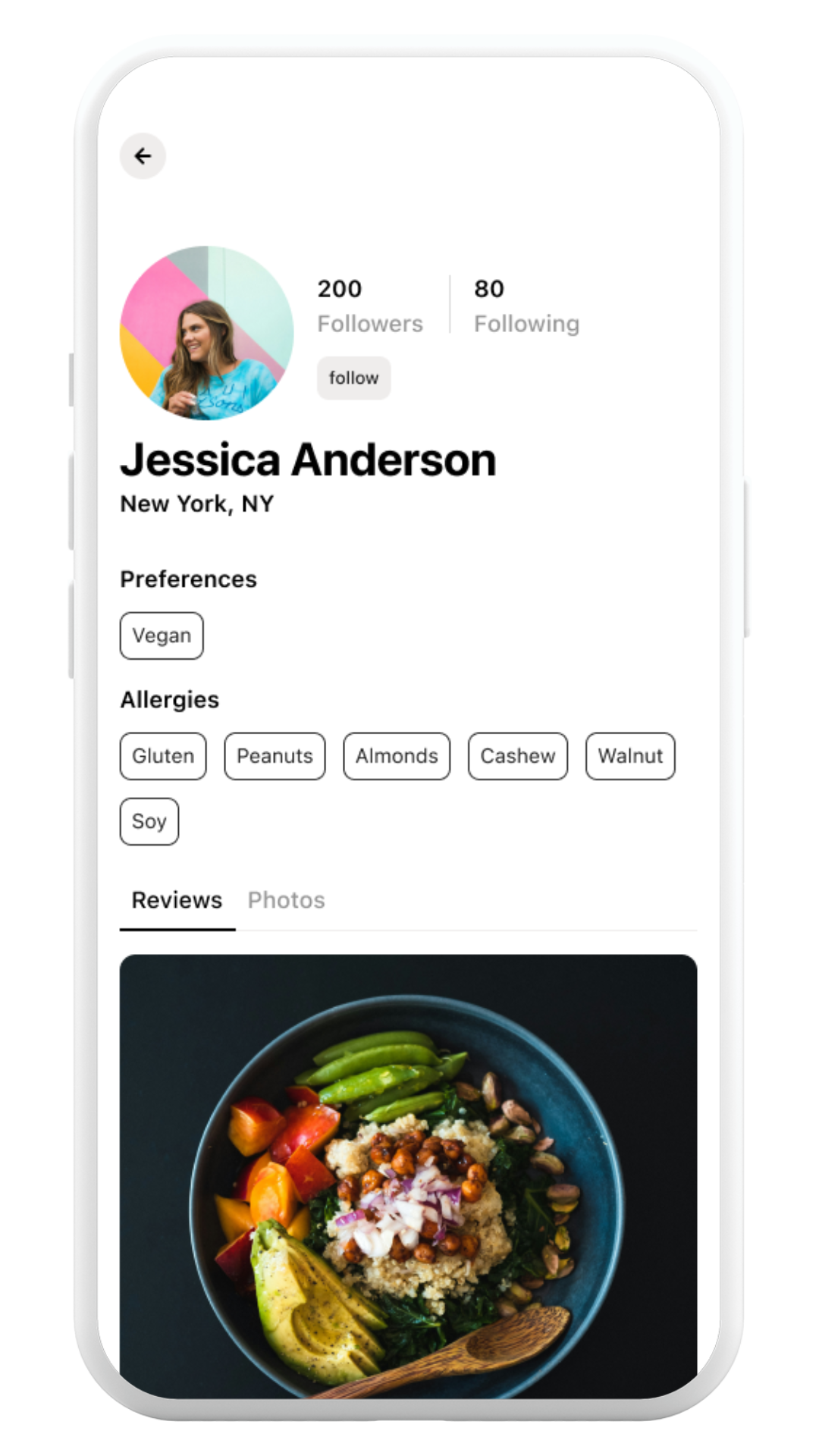

Key Feature 2: Allergy Profile accessible when looking at reviews
User research revealed that online restaurant information is only helpful when it aligns with the user's specific dietary needs. To address this, the design includes visible allergy profiles for each reviewer, allowing users to easily find reviews from people with similar dietary restrictions.
Key Feature 3: Collections for traveling and groups
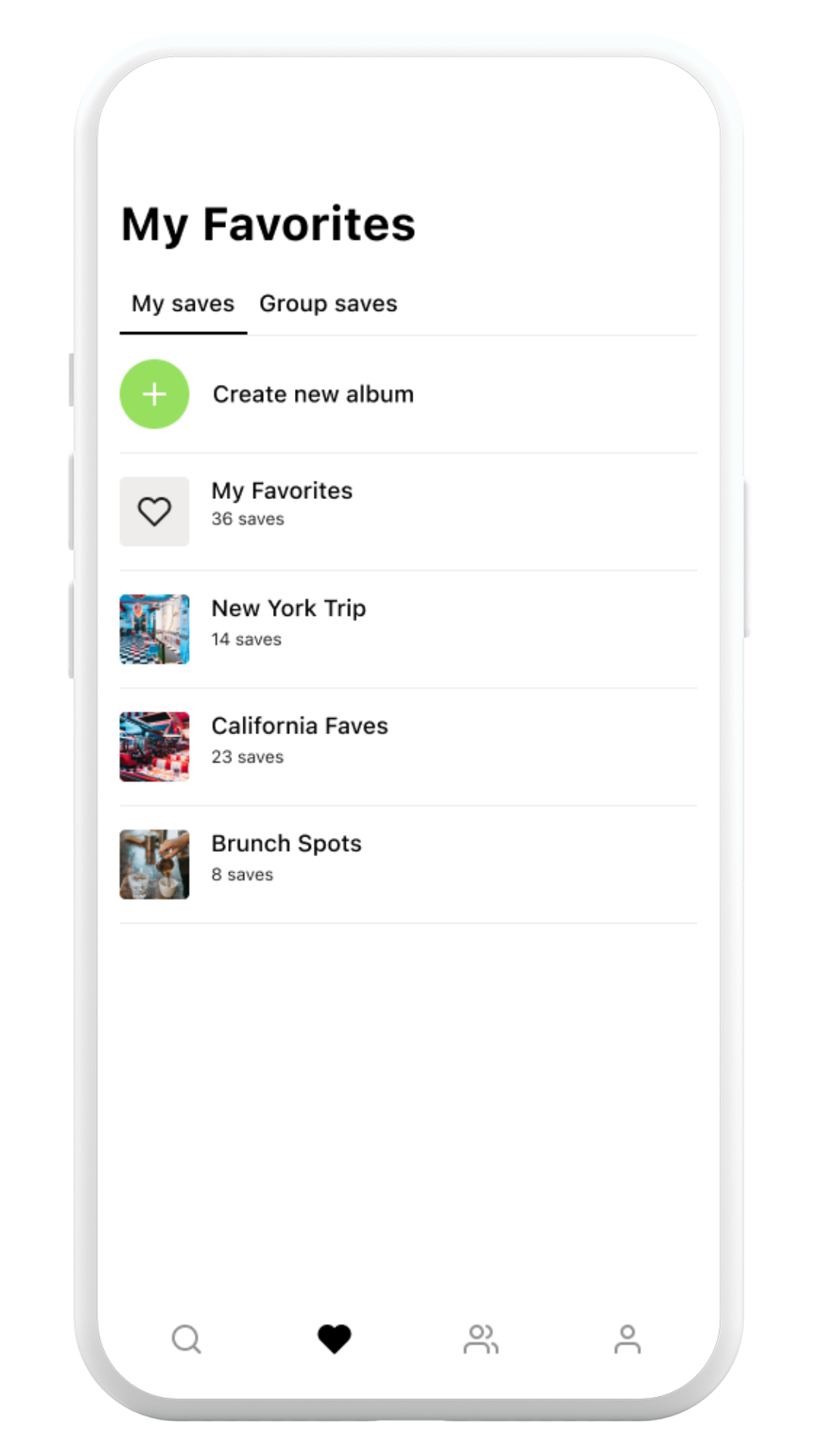
User research revealed that finding accessible restaurants is especially challenging in unfamiliar areas and when dining with others. To address this, a collections feature was added, allowing users to plan in advance. This feature also enhances the app’s social aspect by enabling users to create collections together.
Key Feature 1: Intricate search functionality
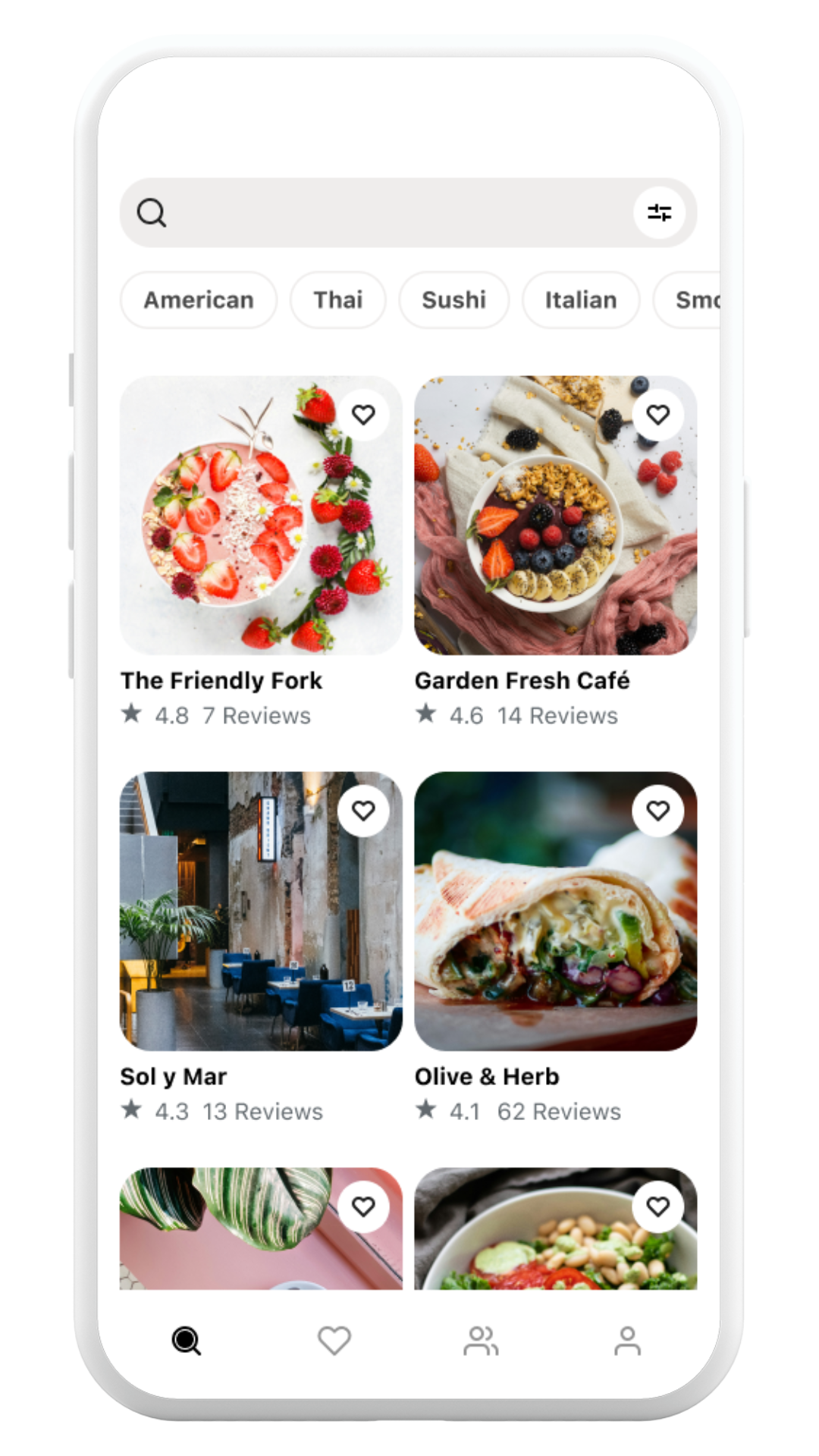
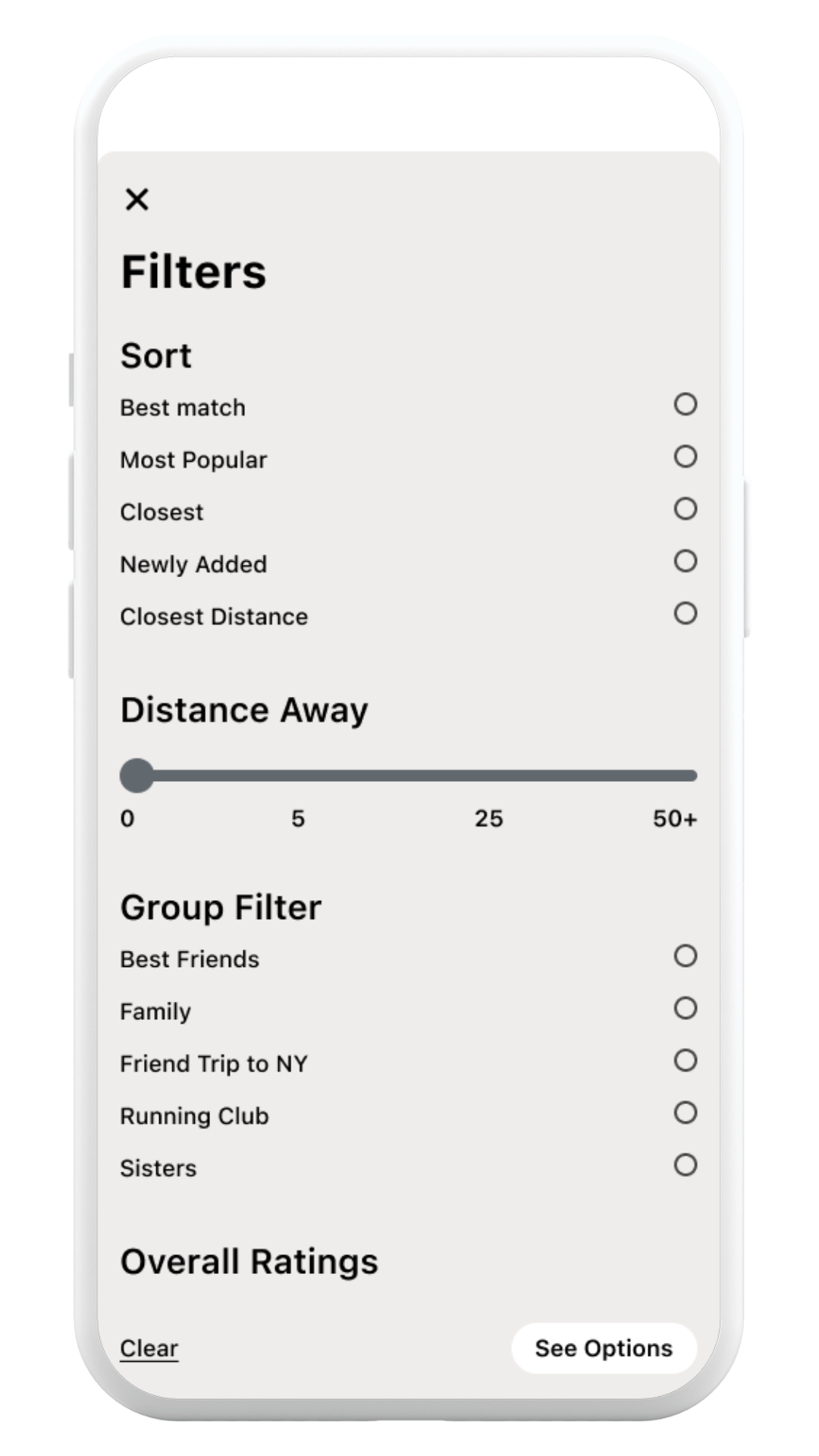
To ensure frictionless usability, I focused on simplifying the search experience. I made the search bar immediately accessible and used a white circle to highlight the filter button as a clear call to action.
Since users often search for specific cuisines, I introduced a sliding button carousel for cuisine options, separate from the filter section.
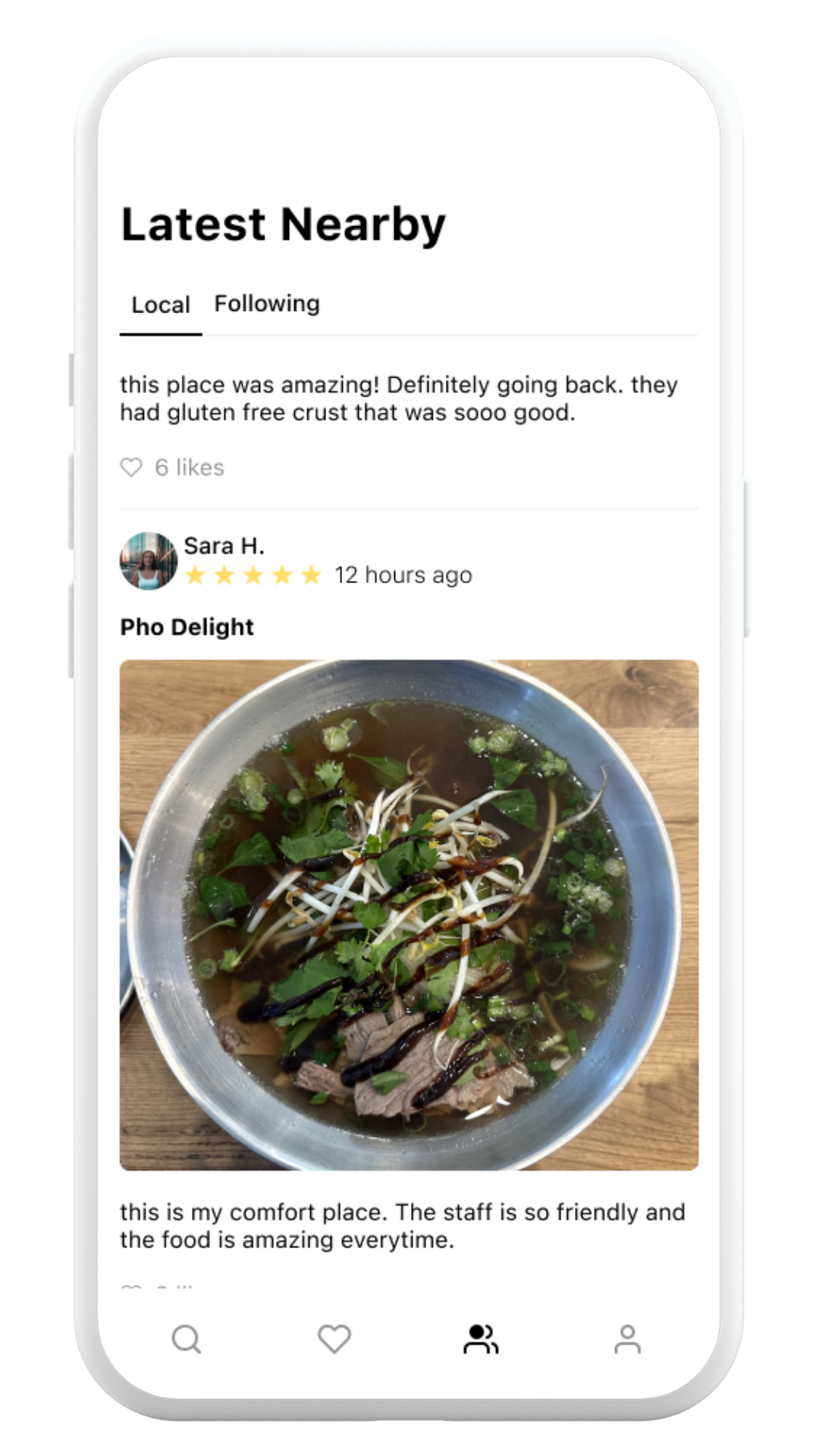
Key Feature 4: Local Reviews
User research showed that people with dietary restrictions highly value peer opinions. By incorporating a social feature, the app allows users to access real-time, local reviews and verify if reviewers share similar dietary needs.
Final Prototype
Ref lection
Critical Reflection:
Through this project, I gained a deeper understanding of the design process and the significance of each step. Sketching and wireframing were crucial in shaping the app’s red routes and overall flow, ensuring the final screens delivered a cohesive user experience.
I also learned the value of design systems, particularly the importance of maintaining an 8-point grid. This grid became essential for both consistency and functionality as the design grew more complex. The more detailed and intricate the design became, the more critical it was to adhere to core design principles to ensure a seamless user experience.
Key Reflection:
This project reinforced the importance of understanding user needs. My background in psychology has fueled my passion for understanding people, and this project allowed me to cultivate that connection further. I’m deeply grateful to the participants who shared their insights during the interviews—their feedback was invaluable. By centering their needs throughout the design process, I was able to approach the project with intentional solutions that directly addressed real user challenges.
This project taught me the importance of focusing and prioritizing ideas. Initially, I aimed to address all user needs and created ambitious concepts with complex red routes and numerous features. However, I soon realized the need to streamline and prioritize the most critical elements. In the end, I simplified the red routes in the final design. This experience reinforced that while design is always iterative, a key skill is knowing what to prioritize.